Connect your existing number to fonea (call forwarding)
Last updated 3 July 2026
You don't need to change your phone number or port anything. You keep your existing business number and set up call forwarding: if nobody at your end picks up, the call is automatically forwarded to your fonea assistant. For your customers nothing changes — they call the same number they always have.
In short: Activate "forward when unanswered" on your number with your fonea number as the destination. If nobody picks up after around 20 seconds, the assistant takes over. Activation is free with all Swiss providers, and the original caller's number remains visible.
How it works
Call forwarding is a feature of your phone provider: it says "forward calls when I don't pick up". That's exactly what we use.
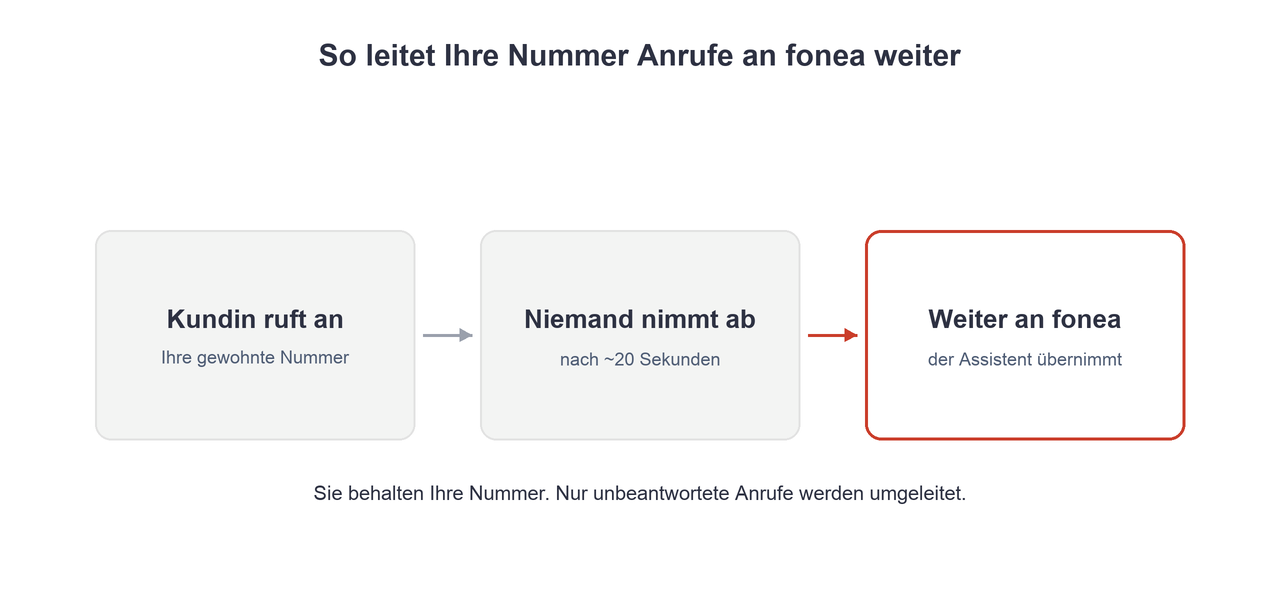
You set up "forward when unanswered" on your existing number. If the phone rings for a few seconds without anyone picking up, the call automatically goes to your fonea number — and the assistant takes over. If you answer yourself, nothing happens; only unanswered calls are forwarded.
You receive your fonea number when you set up your account.
Quick setup (GSM code)
On a mobile phone this takes about 10 seconds:
- Open the phone dial pad (as if you were making a call).
- Enter the forwarding code for unanswered calls with your fonea number in it.
- Press the call button. You'll hear a confirmation tone — done.
With Swisscom, for example, the code is *61*NUMBER*11*20# — replace NUMBER with your fonea number.
The 20 is the delay in seconds (around 5 rings). You can change it to 10, 15, 25 or 30. The exact codes differ by provider — so use the guide that matches yours:
Optional: also forward when busy
If the assistant should also take over while you're on another call, additionally activate forwarding when busy. Note: Salt uses a different code for this (*69*) than Swisscom and Sunrise (*67*). The details are in the respective provider guide.
Good to know
- Caller ID is preserved. The original caller's number remains visible — so the assistant knows who called.
- Costs. Activating the forwarding is free. You pay for the forwarded call at your normal rate; with a Switzerland flat plan there are no extra costs.
- Abroad. When travelling, roaming rates apply — deactivate the forwarding if needed.
How to deactivate the forwarding
You can switch the forwarding off again at any time:
- Only forwarding when unanswered:
#61# - All forwarding at once:
##002#
Frequently asked questions
Do I have to change or port my number?
No. You keep your existing number and simply set up call forwarding.
Will my customers notice anything?
No. They keep calling the same number. Only unanswered calls reach the assistant.
What does call forwarding cost?
Activation is free with all Swiss providers. Forwarded calls are billed at your normal rate and are included in most flat plans.
Does this also work on a landline?
Yes. Landlines use slightly different codes (with Swisscom, without the asterisk between code and number). The steps are in the respective provider guide.
How do I switch the forwarding off again?
With ##002# you deactivate all forwarding at once, with #61# only the forwarding when unanswered.
Related articles
Still have questions?
Write to us — we're happy to help. Or listen to a live demo right in your browser.